
Schema-first generation
Connect to Postgres, MySQL, Oracle, SQL Server or MongoDB and get a clean, paginated REST API.
Design & generate
Point API Studio at a database schema or an OpenAPI document and it generates the API spec, the server code, validation, pagination and deployment files — on your desktop or in the cloud.
How it works
Comes in
API Studio
Connect
Read tables, fields and relationships from your source.
Shape
Rename, filter and map fields; set paging and security.
Generate
Produce the spec, service code, tests and deploy files.
Publish
Ship to your cloud and gateway with docs attached.
Goes out
Connect to Postgres, MySQL, Oracle, SQL Server or MongoDB and get a clean, paginated REST API.
Generated services, data models and tests in the language your team already uses.
Authentication, OAuth2/zero-trust adapters, rate limits and secrets are set up before the first deploy.
Deploy to AWS, Azure, GCP, Oracle Cloud or Huawei Cloud with infrastructure configs generated for you.
Also included
Inside the product
Screens captured from the running platform — no mockups.
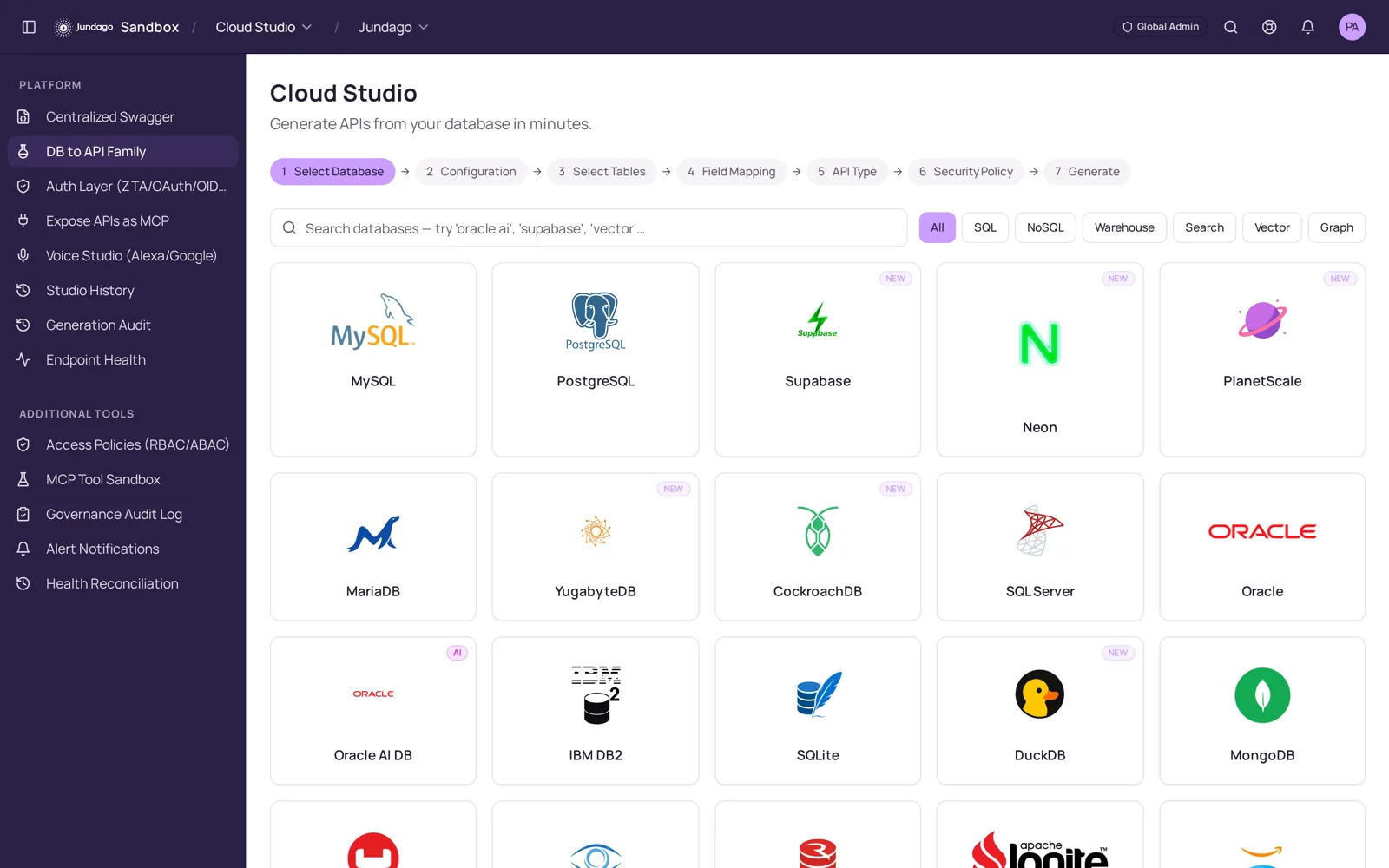
Start in the DB → API wizard. Pick from SQL, NoSQL, warehouse, search, vector and graph databases — Postgres, Oracle, SQL Server, MongoDB, Snowflake, Databricks and more — then follow the steps across the top: source, connection, tables, field mapping, API type, security, generate.
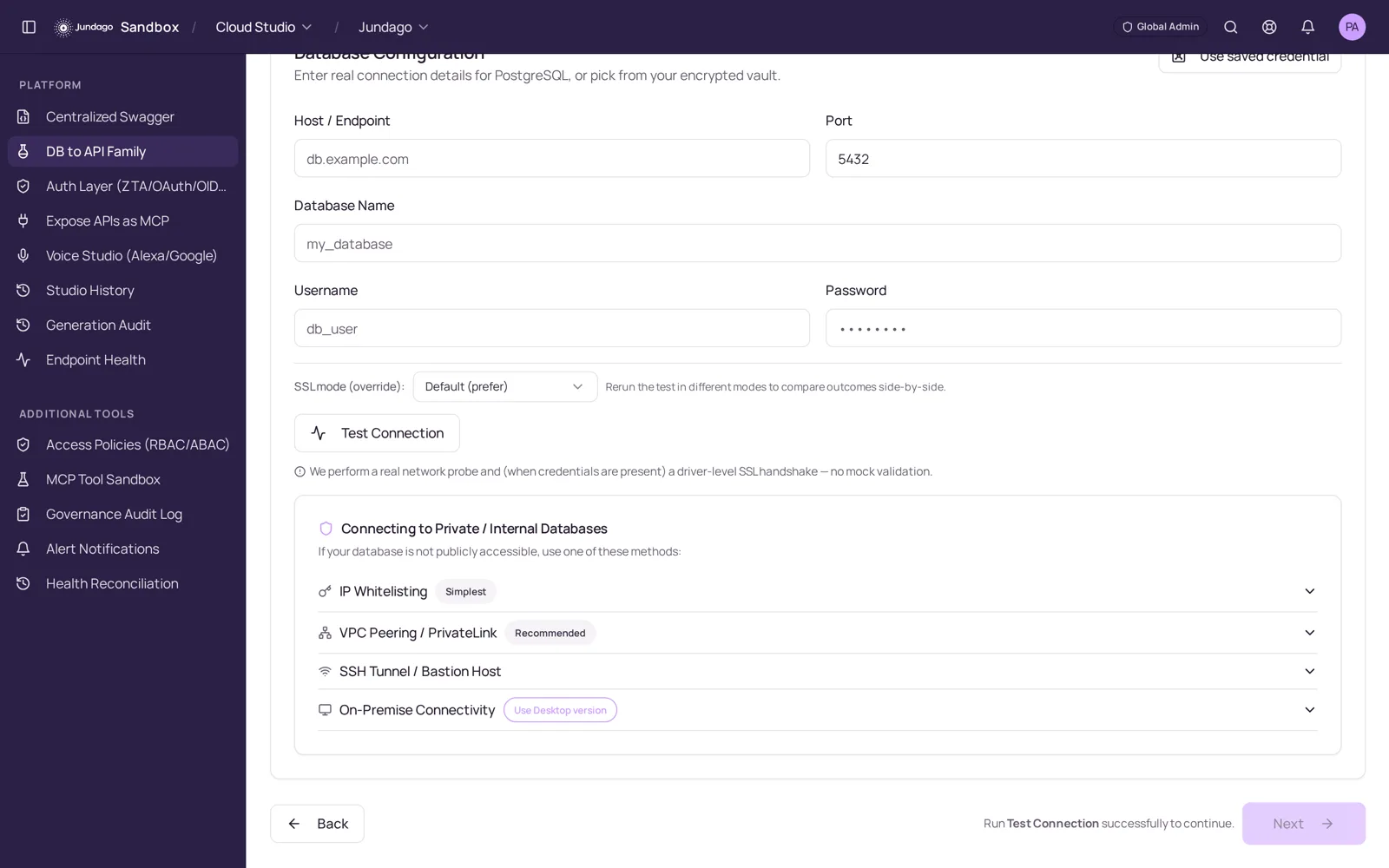
Enter credentials or pull them from the encrypted vault, test the live connection, and choose how Jundago reaches private data: IP allowlisting, VPC peering / PrivateLink, SSH bastion or on-premises connectivity.
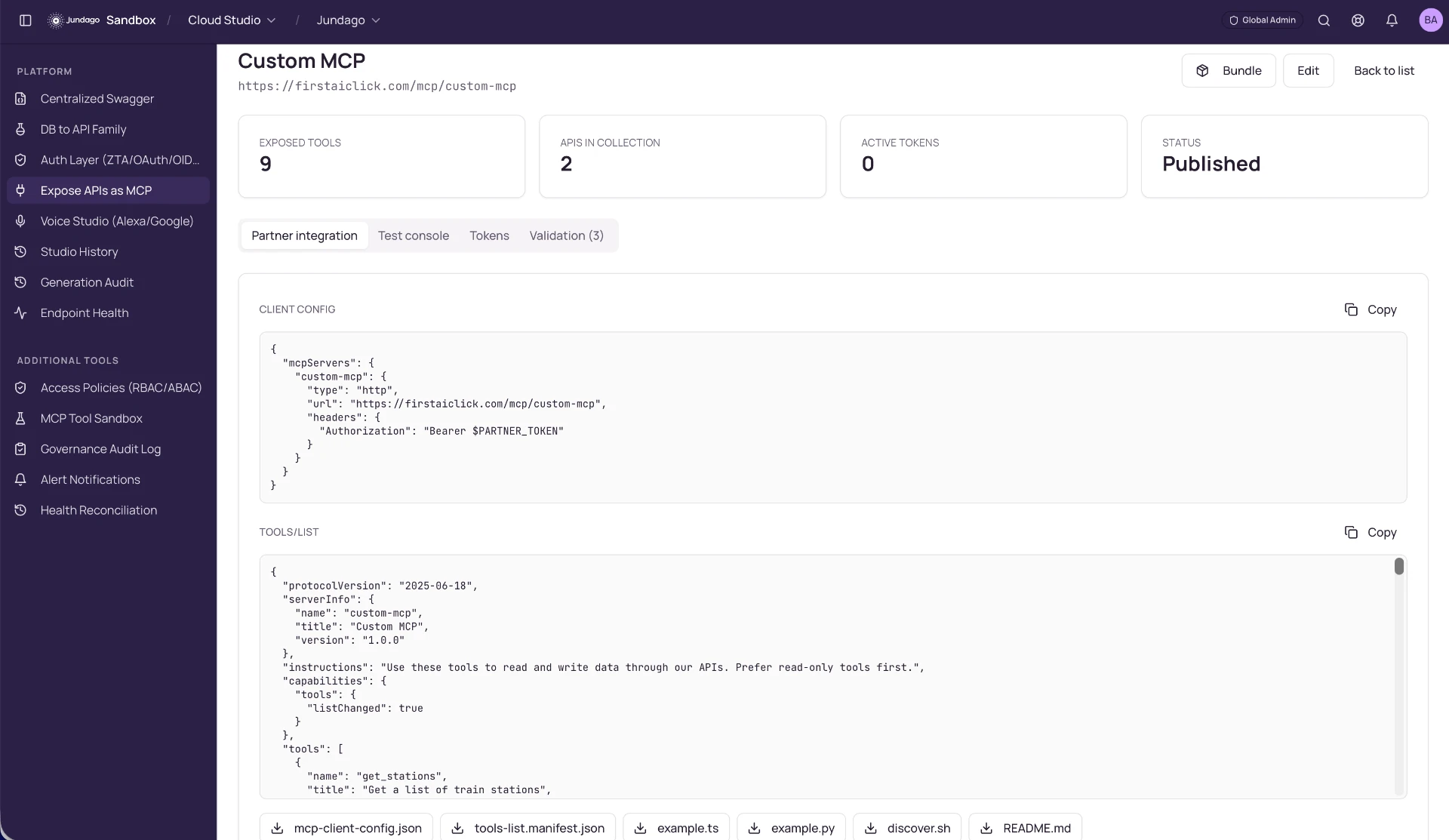
Generated services come with an OpenAPI spec, validation, pagination and tests. From the same catalog you add authentication, publish to a gateway, and turn selected operations into MCP tools any AI agent can call with a single partner token.
Explore the rest of the platform
We use cookies to run this site and, with your permission, to improve performance and tailor marketing. You can accept all, keep essential only, or choose your preferences. See our Privacy Policy and Terms.