
Drag-and-drop canvas
Start pipelines from HTTP requests, webhooks, schedules or events, and connect them to databases, Kafka, ActiveMQ, SQS and custom scripts.
Integrate
Build pipelines that read databases, call third-party APIs, transform data and respond in real time — with automatic retries, dead-letter queues, circuit breakers and a full trace of every run.
How it works
Comes in
Integration Studio
Trigger
Start a pipeline from a request, event or timer.
Transform
Map, enrich and validate data between systems.
Deliver
Write to databases, SaaS apps, queues or search.
Observe
Trace every run with retries and dead-letter handling.
Goes out
Start pipelines from HTTP requests, webhooks, schedules or events, and connect them to databases, Kafka, ActiveMQ, SQS and custom scripts.
EDI transformers with a mapping wizard that generates ready-to-run pipelines.
Salesforce, NetSuite, SAP and 20+ SaaS templates ready to configure.
Live logs, a trace of every execution, version history with one-click rollback, and audit trails.
Also included
Inside the product
Screens captured from the running platform — no mockups.
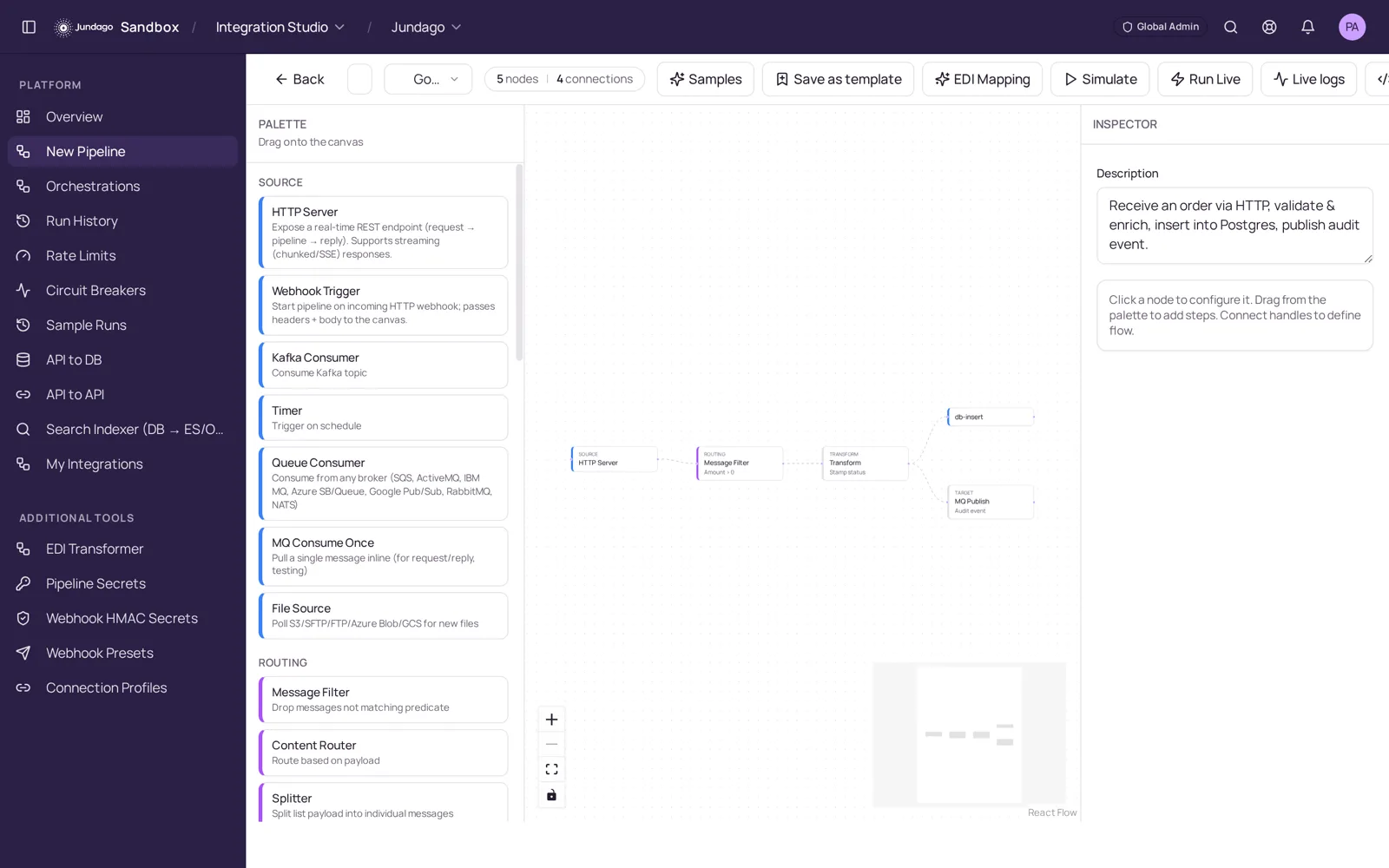
Open a new pipeline and build it visually: HTTP server, webhook, timer, Kafka, queue or file sources; filters, routers, splitters and transforms; database, MQ and API targets. Click any node to configure it.
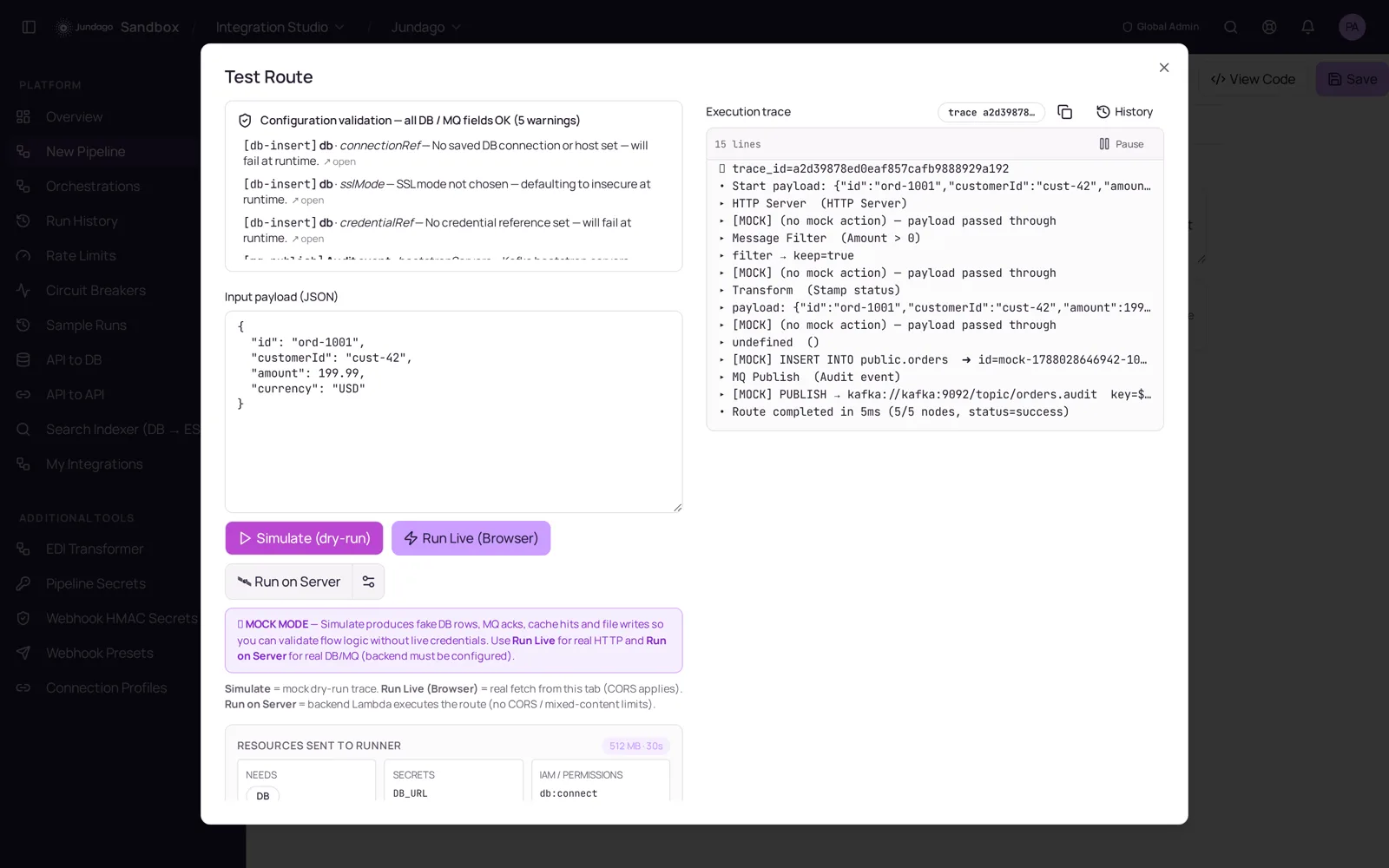
Simulate runs the pipeline in mock mode with live logs and a full execution trace. Run Live deploys the same pipeline to your own runtime, generating Go, Java/Spring or Python with circuit breakers, throttling, dead-letter queues and OpenTelemetry tracing.
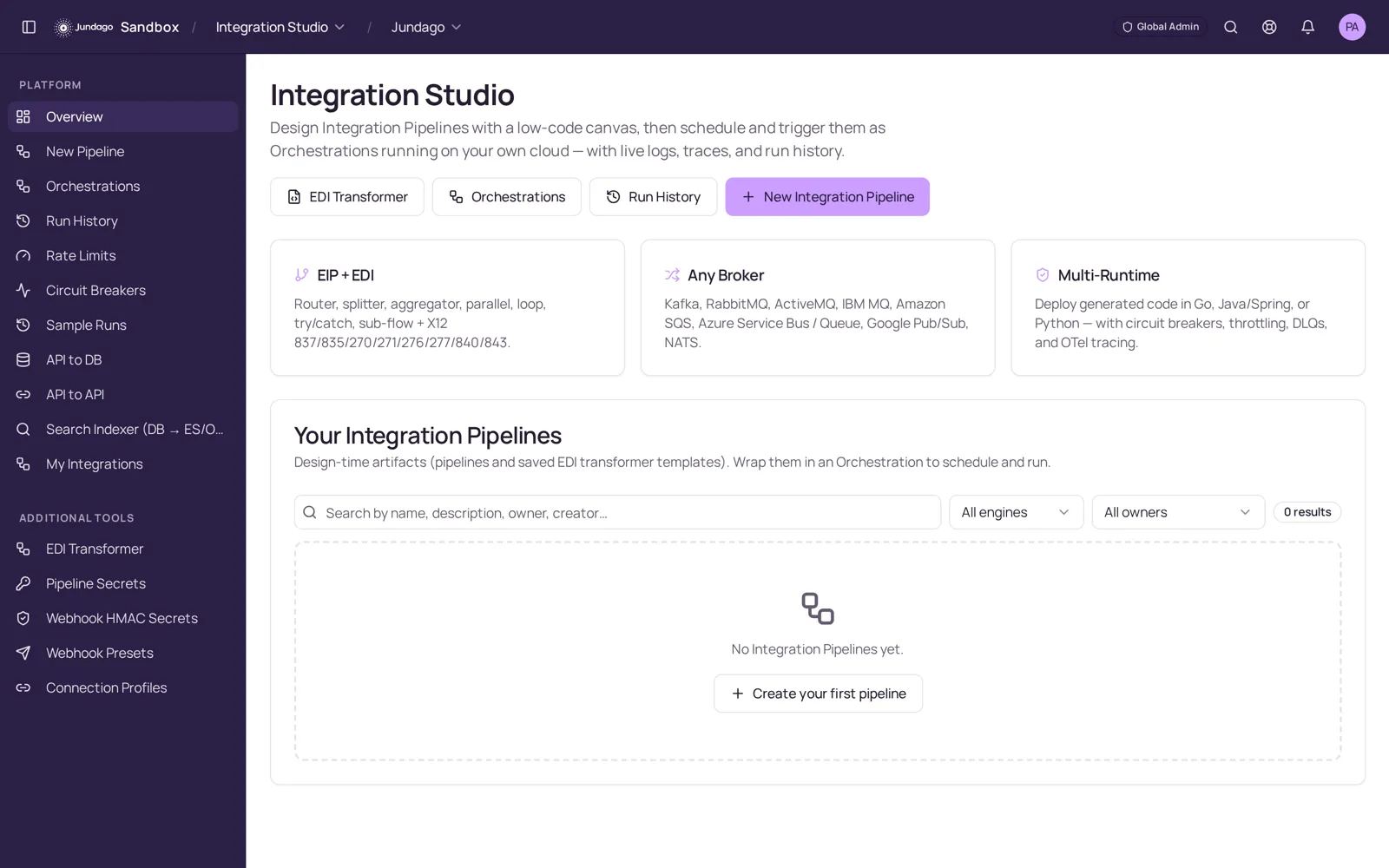
The overview keeps pipelines, EDI transformer templates and orchestrations in one place — with run history, rate limits, circuit breakers, per-pipeline secrets and one-click rollback.
Explore the rest of the platform
We use cookies to run this site and, with your permission, to improve performance and tailor marketing. You can accept all, keep essential only, or choose your preferences. See our Privacy Policy and Terms.