
Drag-and-drop canvas
Start pipelines from HTTP requests, webhooks, schedules or events, and connect them to databases, Kafka, ActiveMQ, SQS and custom scripts.
Integrate
Build pipelines that read databases, call third-party APIs, transform data and respond in real time — with automatic retries, dead-letter queues, circuit breakers and a full trace of every run.
How it works
Comes in
Integration Studio
Trigger
Start a pipeline from a request, event or timer.
Transform
Map, enrich and validate data between systems.
Deliver
Write to databases, SaaS apps, queues or search.
Observe
Trace every run with retries and dead-letter handling.
Goes out
Start pipelines from HTTP requests, webhooks, schedules or events, and connect them to databases, Kafka, ActiveMQ, SQS and custom scripts.
EDI transformers with a mapping wizard that generates ready-to-run pipelines.
Salesforce, NetSuite, SAP and 20+ SaaS templates ready to configure.
Live logs, a trace of every execution, version history with one-click rollback, and audit trails.
Also included
Inside the product
Screens captured from the running platform — no mockups.
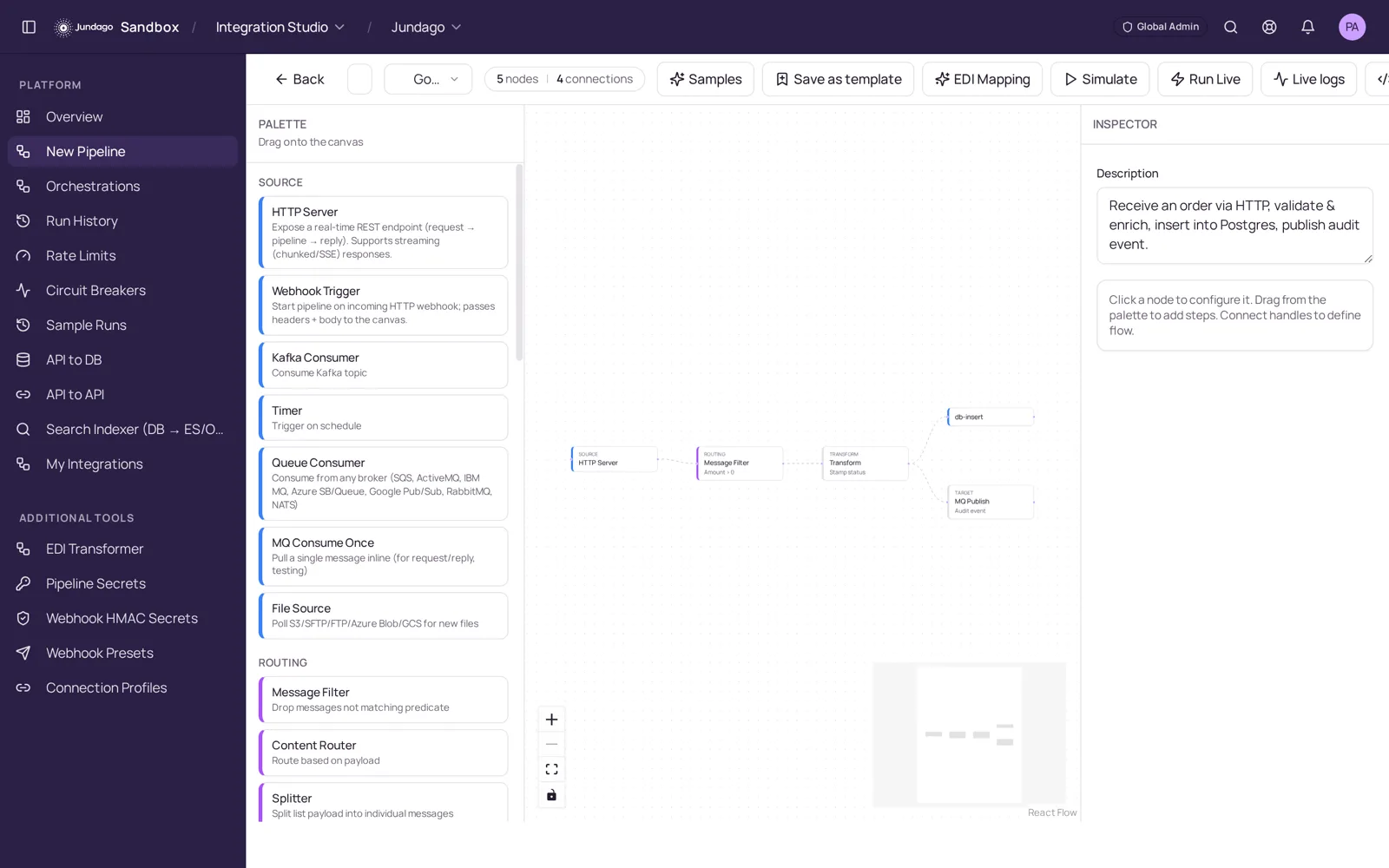
Open a new pipeline and build it visually: HTTP server, webhook, timer, Kafka, queue or file sources; filters, routers, splitters and transforms; database, MQ and API targets. Click any node to configure it.
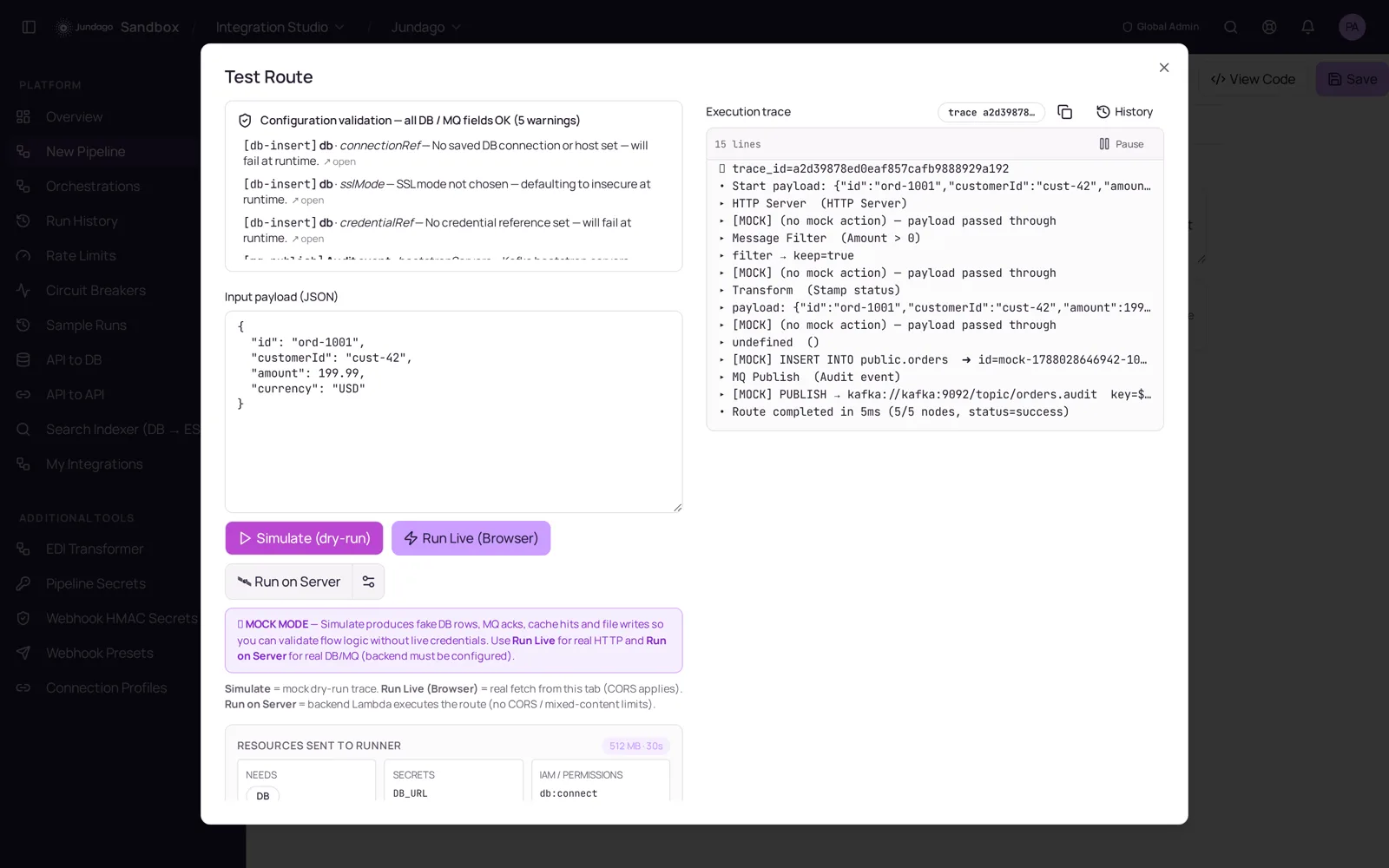
Simulate runs the pipeline in mock mode with live logs and a full execution trace. Run Live deploys the same pipeline to your own runtime, generating Go, Java/Spring or Python with circuit breakers, throttling, dead-letter queues and OpenTelemetry tracing.
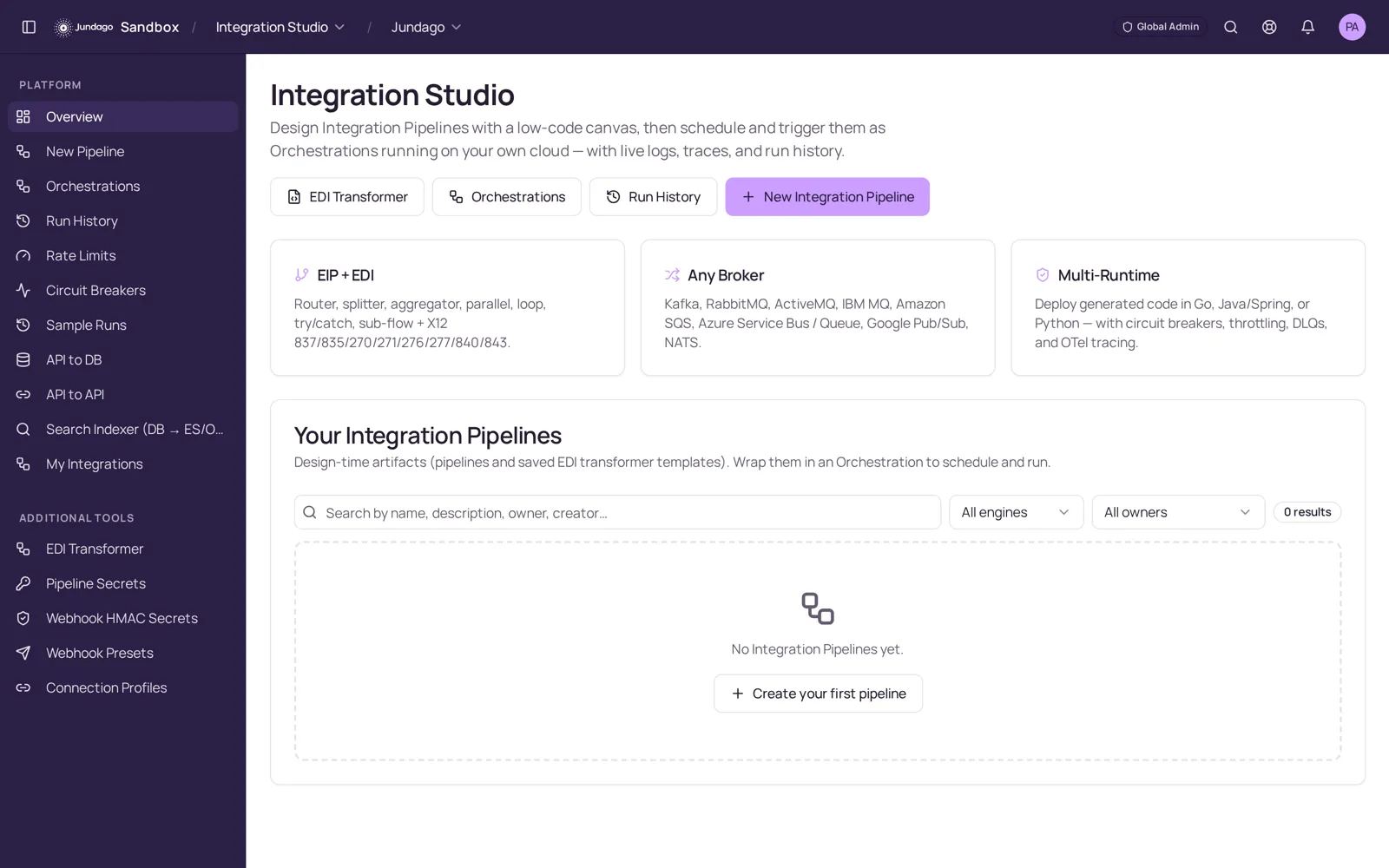
The overview keeps pipelines, EDI transformer templates and orchestrations in one place — with run history, rate limits, circuit breakers, per-pipeline secrets and one-click rollback.
Explore the rest of the platform
Bring your data sources, existing services and deployment requirements. We can walk through the workflow together.
Request a demoEssential cookies keep this site working. Analytics is optional. See our Privacy Policy and Terms.